Turn videos into Live Photos
Pick any video, trim it to the perfect moment, and convert it into a Live Photo. Bring your memories to life on your lock screen.
 Scan to download
on your iPhone
Everything you need
LiveMaker gives you full control over the conversion — trim, crop, and export the way you want.
Any video source
Import from your Photos library, Files app, or any video — MP4, MOV, and more.
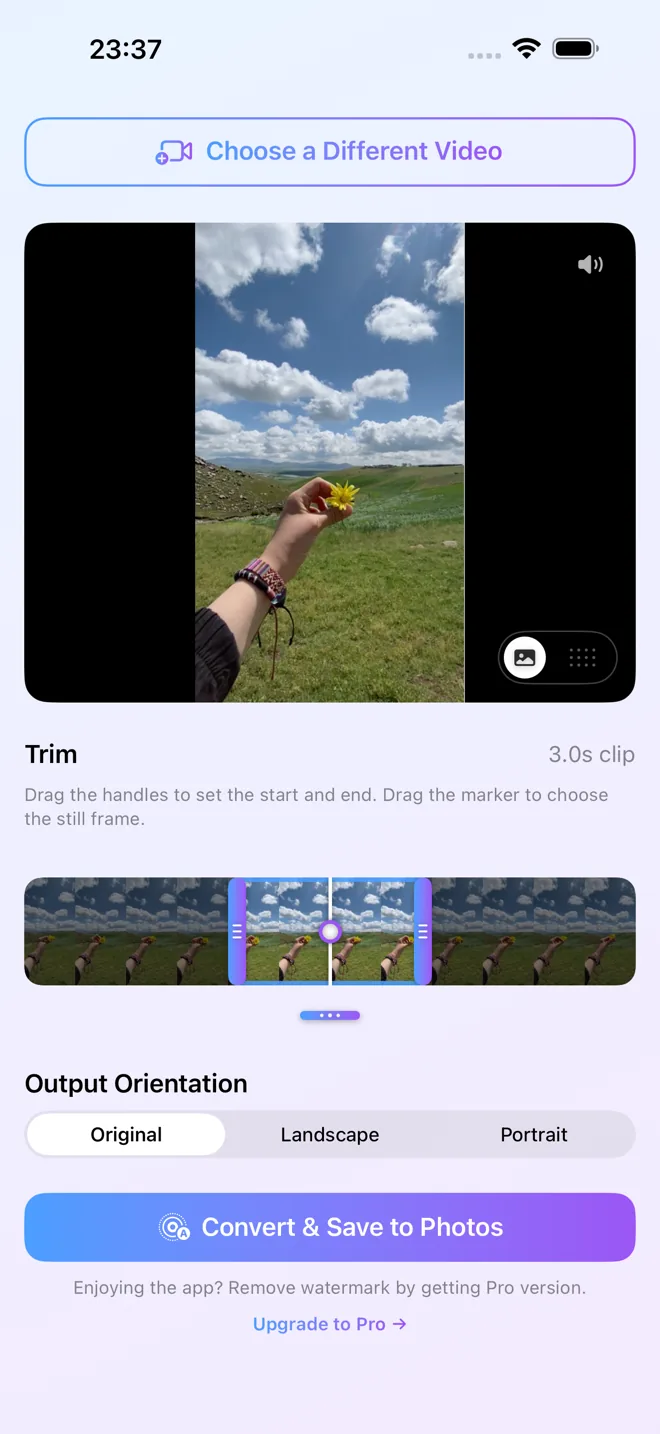
Precise trimming
Use the visual timeline to pick exactly the right 3-second slice of your video.
Fully on-device
Your videos never leave your phone. Everything is processed locally — no uploads, no accounts.
Three steps to Live
From video to Live Photo in under a minute.
Pick a video
Choose any video from your library or import it from Files. No time limit on the source.
Trim & crop
Select a 3-second window using the timeline. Pinch-to-zoom the frame to get the composition right.
Save to Photos
Tap export and your new Live Photo lands straight in your camera roll, ready to set as wallpaper.
Questions & answers
Is LiveMaker free?
Yes — LiveMaker is free to download and use. The free version adds a small watermark to exports; a one-time $3.99 Pro upgrade removes it. No subscription.
Does it work offline?
Yes. Everything is processed on your device using Apple's frameworks — your videos are never uploaded, and there's no account to create.
Will my video lose quality?
No — there's no extra re-compression beyond the Live Photo format itself, and the still (key) frame is saved at full resolution.
Can I set the result as a wallpaper?
Yes. Saved Live Photos can be set as an animated lock-screen wallpaper on supported iPhones (Settings → Wallpaper → Add New → Photos).
Is LiveMaker available for Android?
No — LiveMaker is an iPhone and iPad app. It relies on Apple's Live Photo format, which doesn't exist on Android, so there is no Android version.
Is there a web version I can use online?
No — conversion happens entirely on your iPhone, so your video is never uploaded to any server. An online converter would need your footage in the cloud; LiveMaker keeps it on your device.